Import CSVs, OFX, QFX, or Mint exports. AI categorizes everything. Your data never leaves your device.
A focused tool for people who care about where their money goes.
Drop a CSV, OFX, or Mint export from Chase, BofA, Citi, AmEx, Discover, Wells Fargo, Capital One, and more. Auto-detected. Duplicates skipped.
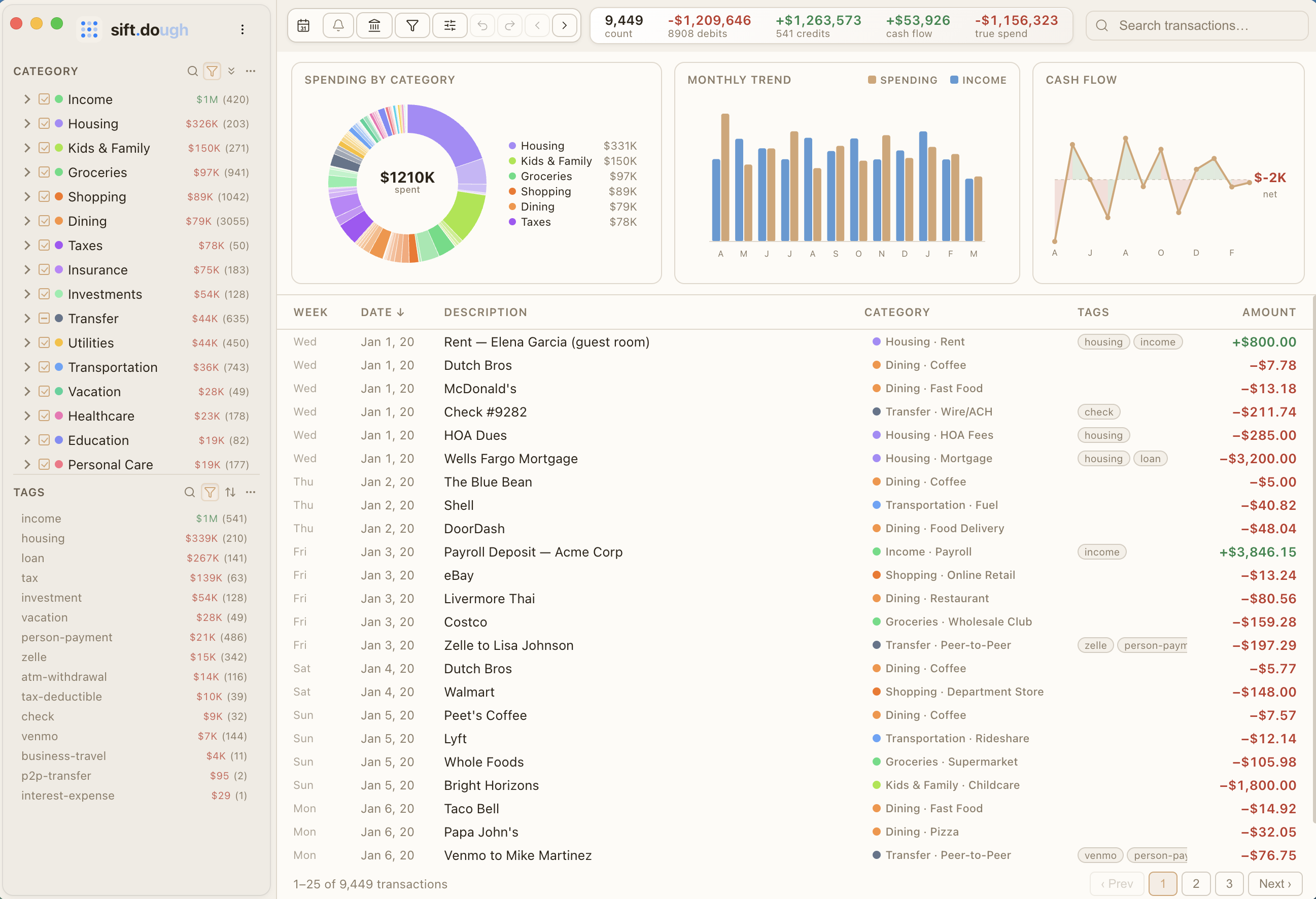
22 categories, 94 subcategories. AI classifies your transactions so you never have to sort them by hand. Custom rules let you override anything.
Spending donuts, monthly trends, and cash flow charts. See exactly where your money goes at a glance.
Command palette, undo/redo, bulk tagging, and custom rules. Built for people who like keyboard shortcuts.
Native Mac app and iPhone app in TestFlight beta. Your data stays on your devices, synced via iCloud.
Filter by category and tag. Drill into subcategories. Sort by amount, count, or name. Find any transaction fast.
We designed Sift so we literally cannot see your financial data.
We never ask for your bank login. You export CSVs from your bank's website and import them into Sift. Your credentials stay between you and your bank.
All data lives on your device. There is no server, no cloud we control. We cannot see your transactions even if we wanted to.
No Google Analytics, no Mixpanel, no fingerprinting. The app does not phone home. Your financial life is not a data product.
No account creation. No linking. Just import and go.
Log in to your bank's website. Download your transactions as a CSV file. That's it.
Drag and drop the file. Sift auto-detects the bank format and classifies every transaction.
Charts, categories, and trends. Filter by tag, search by merchant. Your finances, organized.
Free to start. Upgrade when you're ready.
5-year plans available: Pro $99.99 · Family $149.99 · Bank Connect add-on $1.99/mo